
codbuilds
Find your next MW4 build
The best meta builds for Call of Duty: Modern Warfare 4 and Warzone. Find a build or create your own, copy its code, and import it in game. Every attachment, ready to equip.
Top builds
Loading builds…
Importing a code into the game
- 01
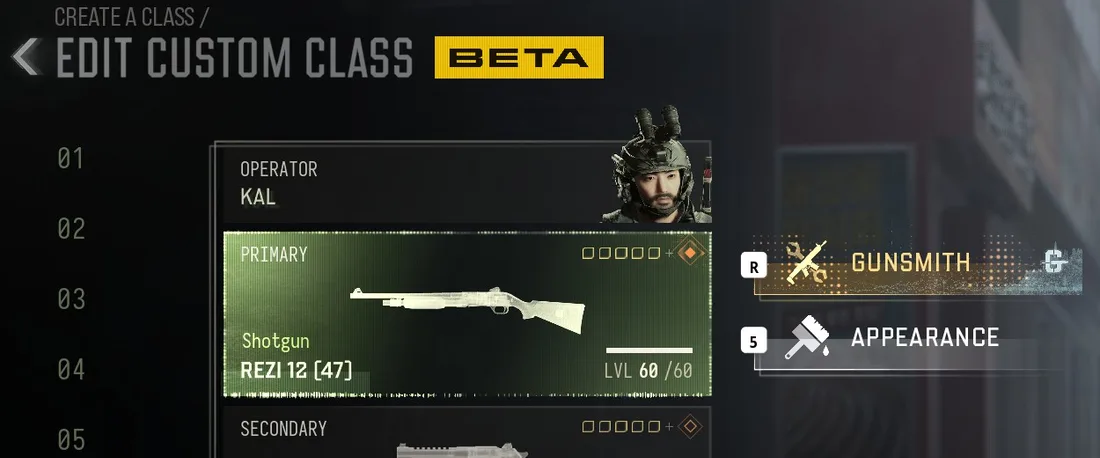
Open the weapon slot
In Create a Class, select your Primary or Secondary weapon tile, not Gunsmith.
- 02
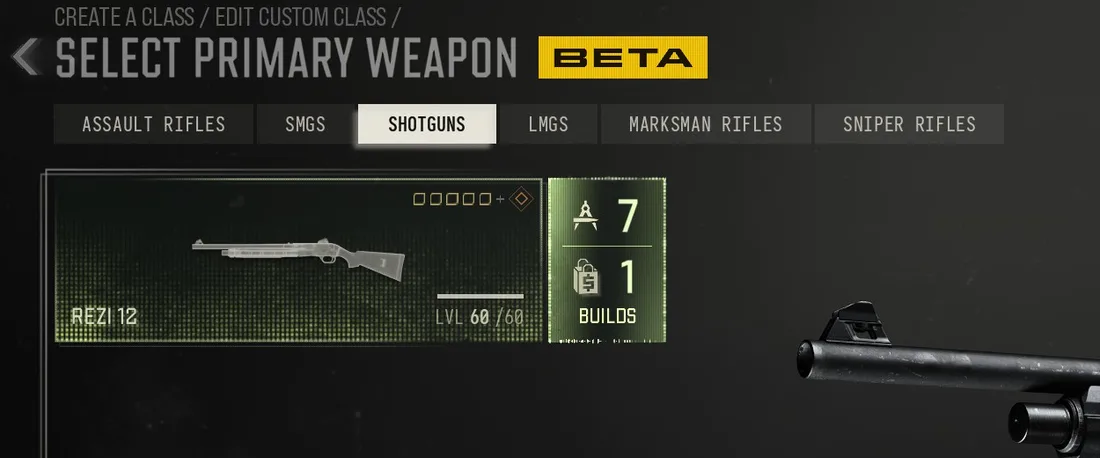
Find the weapon, then Builds
Find the weapon that matches the code. Select Builds on the right of its tile.
- 03
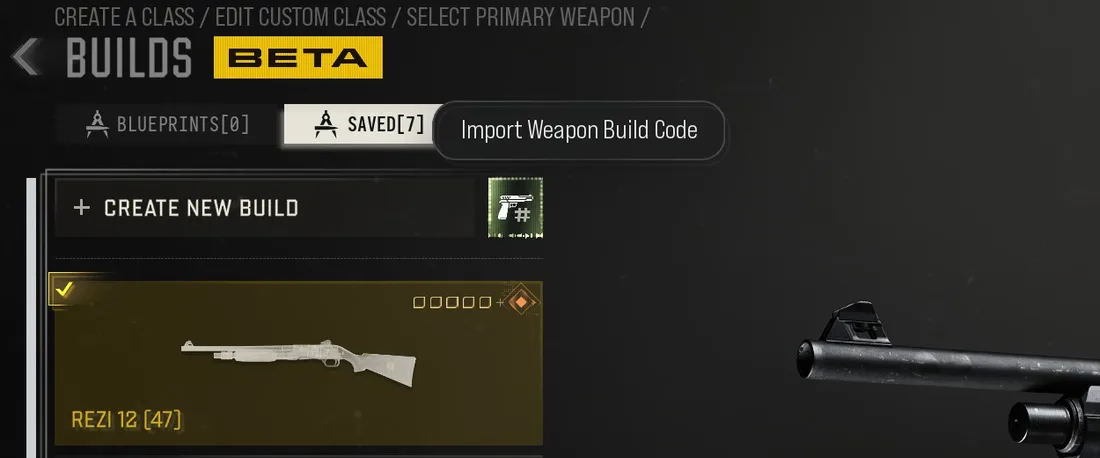
Import Weapon Build Code
Select the gun icon beside Create New Build, labelled Import Weapon Build Code. Paste your code.
- 04
Confirm the build
Check the build and confirm to save it. It is now ready to equip.
Screenshot coming soon
Exporting a build from the game
Find your saved build in Create a Class → weapon slot → Builds.
Export guide coming soon.
Screenshot coming soon